Each Dialogue can have multiple responses off it. These responses will be presented to the player as choices to make. The responses will only show if their destination dialogue is available.
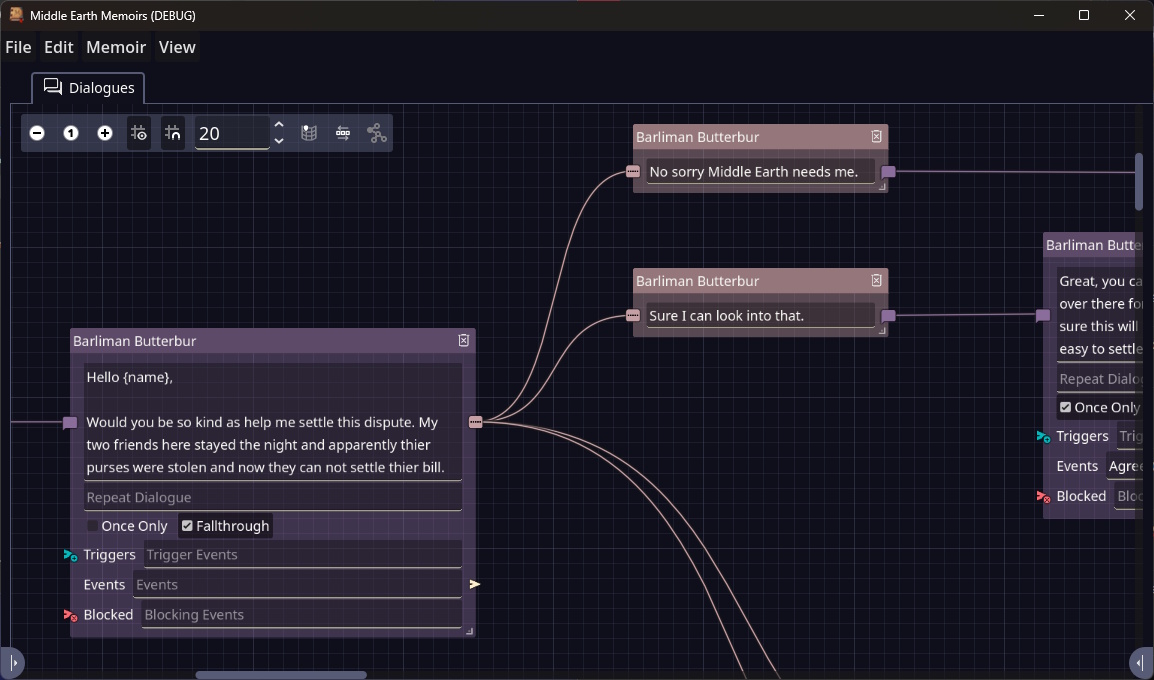
To create a new response drag from the three dots icon on the right of the Dialogue. Releasing in the Graph view will create a new Response. You can then enter the text for the response.
Guidelines
- It’s wise to keep this short. If you make it too long it may overflow in the game.
- A response will only be visible if its attached to a Dialogue that is available.
- Responses may not show at all if the previous dialogue is set to although and only one response is available. Often these responses might be left blank as there is no time the player should have to choose them.
Creating new Dialogue
To create a new Dialogue you can drag from the right hand side of the Response to the Graph View. Releasing will create a new dialogue. You can also connect multiple responses to the same dialogue.